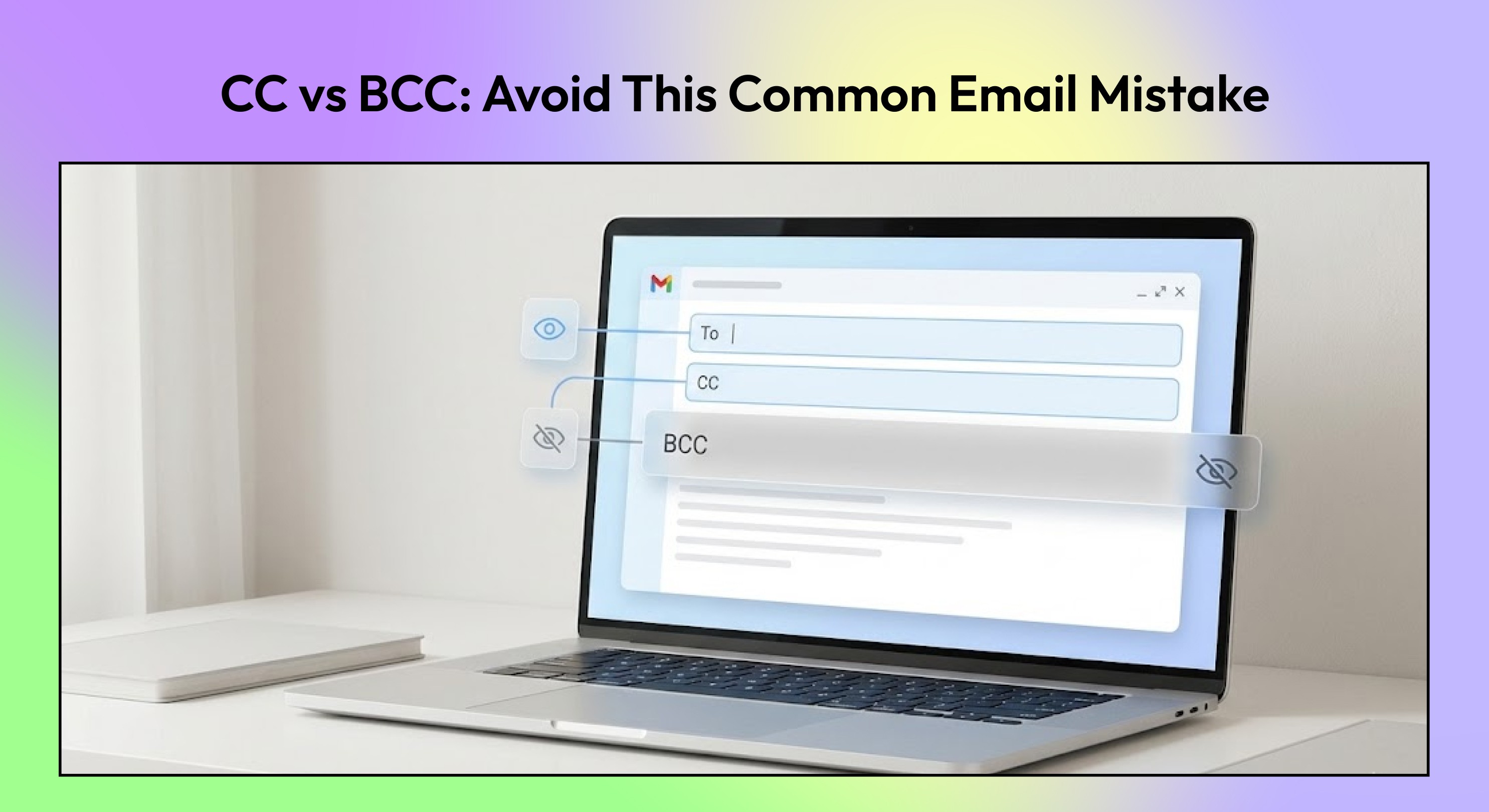
Learn the real difference between CC and BCC, when to use each, and how to avoid email mistakes that cause confusion, reply-all chaos, or trust issues.
Most email mistakes aren’t about what you write. They’re about who you include.
You add someone to CC “just in case.” You use BCC to avoid an awkward conversation. You reply to all without realizing how many people are watching. Small choices, but they can quietly change how an email is received, who feels responsible, and whether trust is built or broken.
CC and BCC are simple features, yet they’re often misunderstood or misused. Not because people don’t know what the buttons do, but because the impact isn’t always obvious until something goes wrong.
This guide breaks down the real difference between CC and BCC, when to use each, and how to avoid the common mistakes that create confusion, reply-all chaos, or uncomfortable follow-ups.
By the end, you’ll know exactly how to choose the right field for every situation and keep your emails clear, professional, and intentional.
Key Takeaways
CC (Carbon Copy) is for visibility. Everyone can see who’s included, and recipients may feel expected to stay informed or respond.
BCC (Blind Carbon Copy) is for discretion. Recipients are hidden from each other, making it ideal for privacy or large recipient lists.
Use CC when transparency matters, such as keeping teammates in the loop on a shared topic.
Use BCC when you need to protect email addresses, avoid reply-all threads, or notify someone quietly.
When in doubt, ask: Does this person need to be seen, or just informed? The answer usually tells you whether to use CC or BCC.
What CC and BCC Actually Mean
CC and BCC are simple features, but they shape how people interpret an email, who is supposed to respond, and how visible a conversation becomes.
CC (Carbon Copy)
When you add someone in CC, every recipient can see who else received the message. CC is typically used to keep people informed rather than to request direct action. While CC’d recipients aren’t always expected to reply, their visibility often creates an implicit sense of awareness or accountability.
BCC (Blind Carbon Copy)
When you add someone in BCC, their address is hidden from all other recipients. Only the sender knows who was included. BCC is commonly used to protect privacy, prevent reply-all chains, or quietly keep someone informed without signaling their involvement to others.
How modern email clients handle CC and BCC
In Gmail, Outlook, and most modern email clients, CC and BCC behave consistently:
CC recipients are visible to everyone on the thread.
BCC recipients receive the email but are invisible to others.
Replies do not include BCC recipients unless they reply separately, which removes the “blind” aspect.
While the mechanics haven’t changed much over time, how people interpret CC and BCC has.
Why the distinction still matters
CC and BCC send social signals apart from delivery. CC can imply transparency, inclusion, or shared context. BCC can imply discretion, privacy, or one-way communication. Using the wrong one can create confusion, awkwardness, or even trust issues.
Understanding this distinction early makes it easier to choose the right field later, especially when the stakes are higher or conversations involve more people.
Who Can See What (and What Happens When Someone Replies)
Most confusion around CC vs BCC comes from misunderstanding visibility and reply behavior.
What each recipient can see
To recipients can see everyone in the To and CC fields. They cannot see BCC recipients.
CC recipients can also see everyone in the To and CC fields. They cannot see BCC recipients.
BCC recipients see the email content, but they do not see other BCC recipients, and other recipients do not see them.
BCC is invisible by design. There is no indicator in the email that someone was BCC’d.
What Reply vs Reply All actually does
Reply sends your response only to the sender.
Reply All sends your response to:
the sender
everyone in To
everyone in CC
It never includes BCC recipients.
This is why BCC recipients don’t accidentally reveal themselves. Even if someone clicks Reply All, BCC recipients are excluded automatically.
Why BCC recipients stay hidden
BCC addresses are stripped from the visible header when the email is delivered. Unless a BCC’d person manually replies and adds others, their presence is never exposed.
The only way a BCC recipient becomes visible is by replying directly and including others on purpose.
Common visibility misunderstandings
Thinking CC recipients are “private” (they are not)
Assuming BCC recipients can see each other (they cannot)
Believing Reply All includes BCC (it does not)
Using BCC to avoid conflict instead of to protect privacy
Understanding these mechanics prevents awkward follow-ups, accidental oversharing, and misaligned expectations.
To vs CC vs BCC: quick comparison
Field | Purpose | Recipient visibility | Reply behavior | Risk level |
|---|---|---|---|---|
To | Primary recipients are expected to act | Visible to all To + CC | Included in Reply and Reply All | Low |
CC | Keep others informed | Visible to all To + CC | Included in Reply All | Medium (overuse causes noise) |
BCC | Private copy or hidden recipients | Hidden from all other recipients | Never included in replies unless added manually | High if misused |
This distinction becomes especially important as recipient lists grow. The more people involved, the more CC and BCC shape accountability, privacy, and tone, sometimes more than the message itself.
When You Should Use CC
CC works best when additional people need visibility, not responsibility. It’s a way to share context without shifting ownership of the conversation.
Shared context
Use CC when someone needs to stay informed but is not expected to act or respond.
Example:
You email a teammate asking for input on a document and CC another colleague who will review the outcome later. The CC recipient gains context without being pulled into the discussion.
Stakeholder visibility
CC is useful when a stakeholder needs transparency into communication without being the decision-maker.
Example:
You send a status update to a project lead and CC their manager so leadership has visibility into progress without being asked to intervene.
Internal coordination
In cross-team or cross-functional work, CC helps align multiple groups without fragmenting communication.
Example:
You email the engineering contact about a timeline change and CC product and operations so everyone sees the same message at the same time.
This reduces follow-up questions and prevents version mismatches.
Client transparency
CC is appropriate when clients expect awareness of who is involved behind the scenes.
Example:
You send a client update and CC your manager or account lead to signal alignment and support, without shifting the conversation away from you.
When CC becomes a problem
CC stops being helpful when it’s used defensively or excessively.
Avoid CC when:
You’re adding people as a safety net
The recipient doesn’t need the information
You’re trying to protect yourself rather than clarify communication
Overusing CC increases noise, dilutes responsibility, and makes it harder for recipients to know whether they’re expected to act.
When You Should Use BCC And When You Shouldn’t
BCC is designed for privacy and scale, not discretion or control. Used correctly, it protects recipients. Used poorly, it damages trust.
When BCC makes sense
Large distribution lists
Use BCC when emailing many people who don’t know each other or don’t need to see everyone else’s address.
Example:
Sending an update to a large group of external contacts or event attendees. BCC prevents inbox clutter and protects recipient privacy.
Privacy protection
BCC is appropriate when sharing an email with people who did not explicitly consent to being visible to others.
Example:
Emailing customers, users, or community members where exposing addresses would be inappropriate or non-compliant with privacy expectations.
Announcements and broadcasts
When the email is informational, and replies are not expected, BCC keeps the message clean and avoids accidental reply-alls.
Example:
Service updates, policy changes, or one-way announcements.
When BCC should be avoided
Monitoring conversations silently
Using BCC to “watch” a conversation without others knowing undermines trust and often backfires if discovered.
Client threads where trust matters
BCC’ing internal leadership or third parties on client emails can damage relationships if the client assumes a private exchange.
Power dynamics and leadership
BCC’ing executives or managers to apply pressure or create leverage is risky. It often changes how recipients communicate and can escalate situations unnecessarily.
The guiding principle
If someone feels uncomfortable discovering they were BCC’d later, BCC is probably the wrong choice.
Use BCC to protect people, not to control conversations.
CC & BCC Email Etiquette: Mistakes That Cause Problems
CC and BCC aren’t just technical fields. They signal intent, visibility, and responsibility. Most email friction comes from using them defensively instead of deliberately.
Over-CC’ing to protect yourself
Copying people creates noise and shifts accountability instead of clarifying it. Over time, recipients stop paying attention to CC’d messages altogether.
Better approach:
CC only those who genuinely need awareness, not those you want as witnesses.
Using BCC to avoid conversations
BCC can feel like a way to stay informed without getting involved, but it often leads to misalignment and mistrust.
Better approach:
If someone needs to be in the loop, include them openly or forward the message later with context.
Creating reply-all chaos
Large CC lists invite accidental reply-alls, side discussions, and inbox clutter that no one asked for.
Better approach:
Limit CCs on threads where discussion is likely, or move coordination to a smaller group.
Defaulting to CC instead of clarity
CC is often used when the real issue is unclear ownership. If it’s not obvious who needs to act, people CC more instead of defining responsibility.
Better approach:
Be explicit in the email body about who owns the next step. Clear direction reduces the need for excessive CCs.
Used thoughtfully, CC and BCC make communication smoother. Used defensively, they slow everyone down.
A Simple Decision Framework for CC vs BCC
When you’re unsure which field to use, don’t overthink the mechanics. Focus on intent, visibility, and trust. This quick checklist helps you decide in seconds.
Use CC when:
You want transparency about who’s included
The recipients should see each other
Replies or discussion are expected
Someone needs awareness, not just delivery
Use BCC when:
You need to protect the recipient's privacy
You’re sending an announcement or broadcast
Replies are not expected
The email is purely informational
Pause before using BCC if:
Hidden recipients could change how the message is perceived
Trust or power dynamics are involved
You’d be uncomfortable explaining the BCC later
A simple rule of thumb:
If visibility improves clarity, use CC. If visibility creates risk or noise, use BCC.
Why CC and BCC Break Down in Modern Email Workflows
CC and BCC were designed for a simpler time, when emails were shorter, inboxes were lighter, and threads didn’t stretch across weeks. In modern workflows, these fields are still useful, but they’re often stretched beyond what they were meant to handle.
1. Inbox overload increases mistakes
When inboxes are crowded, people CC others out of caution. The result is bloated threads where no one is quite sure who needs to act, and important messages get skimmed instead of understood.
2. Threads lose context over time
Long reply chains make it hard to track why someone was CC’d in the first place. New recipients join mid-thread, decisions get buried, and readers are left guessing whether they’re expected to respond or simply stay informed.
3. Too many recipients blur responsibility
When everyone is included, ownership becomes unclear. Tasks go unclaimed because each person assumes someone else will handle it. CC turns into a shield instead of a signal.
4. Email interfaces encourage over-CC’ing
Gmail and Outlook make it easy to add recipients, but they don’t help clarify intent. There’s no distinction between “for awareness” and “for action,” so CC becomes the default even when it adds noise.
Most people know what CC and BCC do. What breaks down is that email is expected to handle awareness, accountability, and follow-ups in the same place, even though it was never built for that.
How NewMail Helps Reduce CC/BCC Errors
CC and BCC mistakes usually aren’t about etiquette. They happen when people are unsure who needs to act, who just needs context, and how to keep track of follow-ups once a message is sent. NewMail is designed to reduce that uncertainty without changing how email works.
Highlights context so fewer people need CC
NewMail surfaces the relevant threads, decisions, and open items tied to a conversation. When context is easy to see, there’s less pressure to copy extra people, which keeps recipient lists focused and intentional.
Improves drafting clarity
Clear writing reduces over-CC’ing. NewMail helps you draft messages that state intent early, who the email is for, and what response is expected, so recipients understand their role without relying on CC as a signal.
Prevents follow-ups from being buried
One reason people CC widely is the fear of losing track of next steps. NewMail helps tracks follow-ups and resurfaces unresolved threads, so accountability doesn’t depend on who was copied on the original email.
Built with privacy in mind
NewMail is designed with a privacy-first approach. Your emails remain in your account, and sensitive communication isn’t stored or exposed unnecessarily, reducing the risks that often come with misuse of BCC.
If CC and BCC feel like blunt tools in a complex inbox, NewMail helps bring clarity back to who needs to know, who needs to act, and what still needs attention without adding more noise.
Conclusion
CC vs BCC is all about trust, clarity, and intent. Every recipient you add changes how a message is interpreted, who feels responsible, and how transparent the conversation feels.
Fewer recipients with a clear reason for being included almost always leads to better outcomes than copying people “just in case.”
Used thoughtfully, CC keeps everyone aligned and accountable. Used carelessly, it creates noise and confusion. BCC protects privacy when needed, but misusing it can damage trust just as quickly.
Tools can reduce mistakes, but the most important factor is being deliberate about why someone is included in the first place.
When you’re clear about intent, CC and BCC stop being risky fields and start becoming useful signals in your workflow.

FAQs
Q1. What’s the difference between CC and BCC?
CC (carbon copy) lets all recipients see who else is included on the email. BCC (blind carbon copy) hides recipients from each other, so no one knows who else received the message.
Q2. Can CC recipients see BCC recipients?
No. BCC recipients are completely hidden from everyone else, including people in the To and CC fields.
Q3. Is it rude to use BCC?
It depends on context. Using BCC for large announcements or to protect privacy is generally acceptable. Using it to secretly monitor conversations or copy leadership can feel deceptive and harm trust.
Q4. Should managers be CC’d or BCC’d?
If a manager needs visibility, CC is usually the better choice because it’s transparent. BCC’ing a manager can create power dynamics or trust issues if discovered later.
Q5. What happens if someone clicks Reply All?
Reply All sends the response to everyone in the To and CC fields. BCC recipients are not included in replies unless they choose to respond separately.
Q6. Can I use CC and BCC together?
Yes. This is common in announcement-style emails where some recipients need visibility (CC), and others should remain private (BCC). The key is being intentional about why each group is included.
