Introduction
The average professional spends 28% of their workweek—roughly 11.2 hours—managing email, receiving 121 messages per day in the process. That's more than a full workday lost every week to a single tool.
Few professionals stop to quantify what that actually costs: missed opportunities, degraded response quality, and constant context-switching that fragments focus throughout the day.
This article breaks down the specific, measurable advantages of email productivity software—covering time savings, ROI, and the operational changes that matter most for busy professionals and teams.
Key Takeaways
- Automates inbox sorting and prioritization, cutting time spent on manual triage each week
- Measurable outcomes include faster response times, fewer missed follow-ups, and recovered focus time
- AI drafts replies in your voice and surfaces only what actually needs your attention
- Without them, reactive inboxes and inconsistent communication compound into real operational drag
- The right tool integrates directly into Gmail, Outlook, or Apple Mail with minimal setup—no separate platform required
What Is Email Productivity Software?
Email productivity software reduces the time and effort required to manage email by automating repetitive tasks, organizing incoming messages, and helping users respond faster and more effectively.
It applies across a range of professional contexts:
- Individual professionals triage and respond to high-volume inboxes without losing track of priorities
- Sales and customer success teams manage client pipelines and follow-up sequences at scale
- Executive and leadership teams stay on top of meeting recaps, action items, and time-sensitive decisions
The value is operational: hours recovered, errors avoided, and better-informed decisions. Features matter less than outcomes.
Key Advantages of Email Productivity Software
Each advantage below maps to operational outcomes teams can measure: time recovered, communication quality, and tasks that don't slip through.
Advantage 1: Reclaimed Time and Measurable Focus Recovery
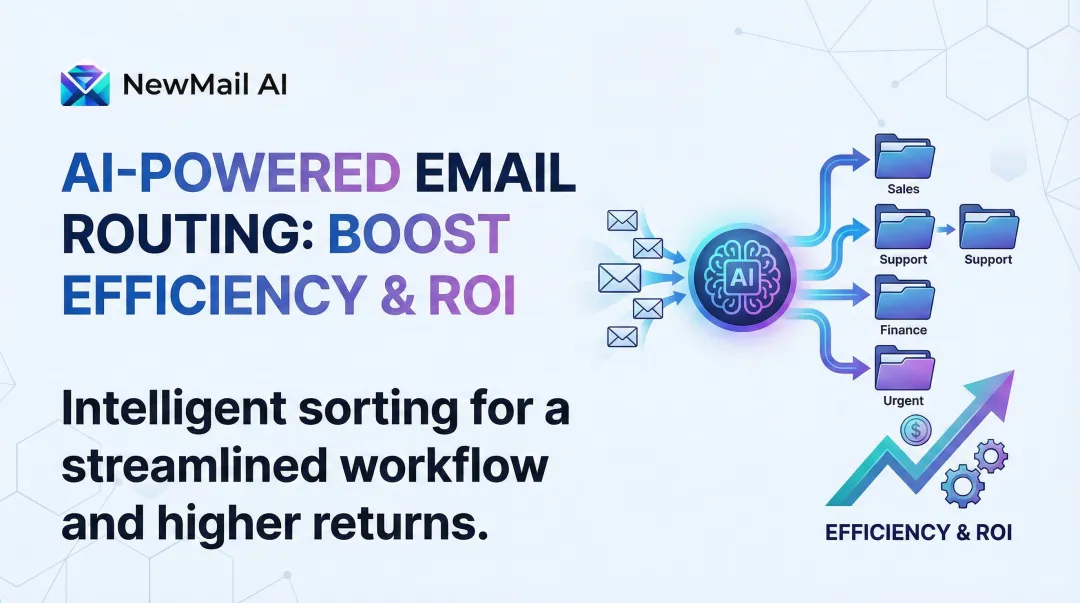
The most direct ROI of email productivity software is time. It reduces the hours professionals spend reading, sorting, and re-reading email by automating inbox organization, filtering low-priority messages, and surfacing what matters first.
Smart prioritization engines categorize incoming email automatically. A professional opens their inbox to an ordered view rather than a flood, cutting the decision-making load from the first moment of the day.
Context-switching caused by email interruptions carries a significant recovery cost. Research from the University of California, Irvine shows that it takes an average of 23 minutes and 15 seconds to fully regain focus after an interruption. For a professional checking email frequently throughout the day, this compounds into substantial weekly time loss.
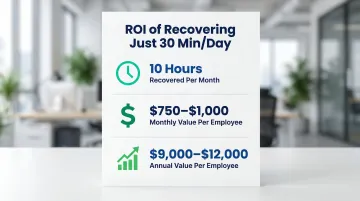
The financial case is straightforward. At average fully loaded compensation costs of $75–$100/hour for management and professional roles, recovering just 30 minutes per day represents:
- 10 hours per month of recovered working time
- $750–$1,000 monthly value per employee
- $9,000–$12,000 annual value per employee
KPIs impacted:
- Hours spent in inbox per week
- Response time to priority messages
- Number of context switches per day
- Focus time available for deep work
When this advantage matters most:
Professionals receiving 50+ emails per day, executives juggling multiple priorities, and teams where delayed responses create downstream bottlenecks for clients or colleagues benefit most from this advantage.
Advantage 2: Faster, Higher-Quality Communication
Reclaiming time only solves half the problem — what you do with that time matters too. AI-powered email tools actively improve the quality and consistency of outgoing communication by assisting with drafting, suggesting responses, and maintaining your professional voice.
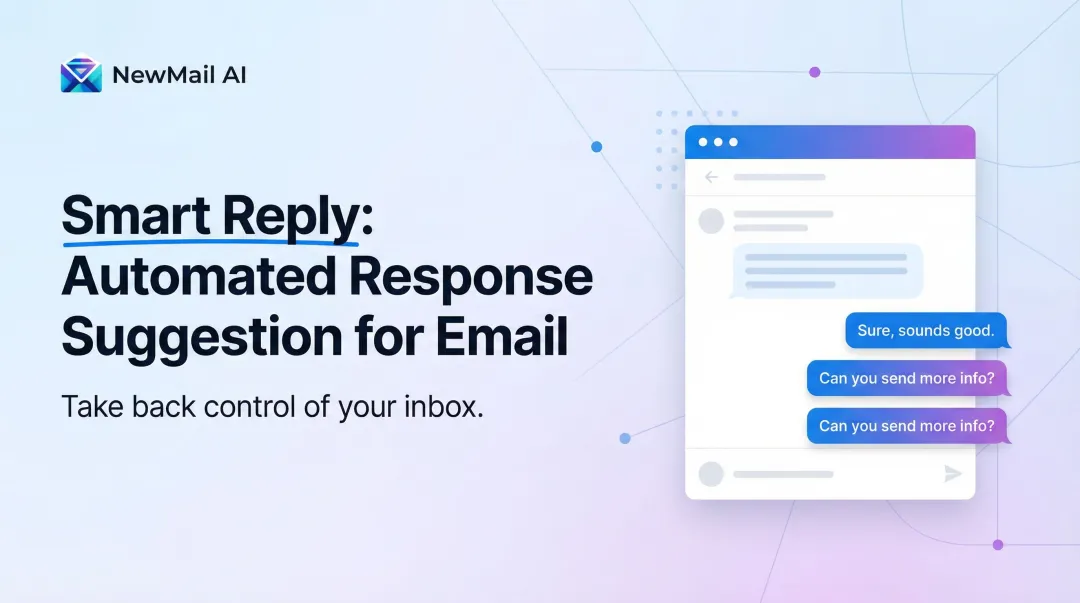
AI drafting tools analyze prior email history to learn tone, style, and recurring content — FAQs, standard follow-ups, client-specific language — then generate ready-to-send or easy-to-edit draft replies. This removes the cognitive overhead of composing from scratch.
The business stakes are real. In sales, leads contacted within 5 minutes are 21 times more likely to qualify than those contacted after 30 minutes — yet the average B2B response time is 42 hours. In customer service, 89% of customers expect an email reply within 1 hour, but the cross-industry average is 12 hours and 10 minutes.
As email volume scales, maintaining consistent quality manually isn't realistic. NewMail AI, for instance, drafts replies in the sender's own voice — including FAQs and relevant links — while processing email ephemerally with zero data retention. That makes AI assistance a practical option even for legal, financial, and healthcare teams handling confidential correspondence.
KPIs impacted:
- Average email response time
- Reply quality consistency
- Volume of emails requiring multiple back-and-forth exchanges
- Customer satisfaction scores tied to communication responsiveness
When this advantage matters most:
Sales teams, customer success managers, and executives who are expected to respond quickly and professionally at scale—and anyone whose reputation or client relationships depend on the tone and timeliness of their written communication.
Advantage 3: Fewer Things Fall Through the Cracks
Beyond speed and quality, the highest-cost failure in email-heavy work is often what gets missed entirely — follow-ups not sent, action items buried in long threads, meeting commitments forgotten because no one extracted them from the conversation.
Modern tools address this directly: they automatically extract tasks and action items from email content, flag messages requiring follow-up, and deliver meeting recaps with assigned next steps — turning untracked conversations into structured accountability.
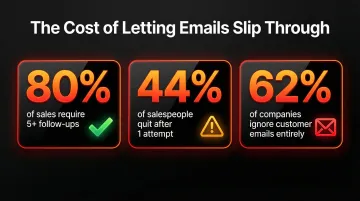
The cost of missed follow-ups compounds quickly. 80% of successful sales require five or more follow-ups, yet 44% of salespeople give up after a single attempt. Even more striking, 62% of companies ignore customer service emails entirely — each missed message eroding trust and representing direct revenue loss.
When action items are automatically surfaced and assigned, status-check meetings shrink and team members have clearer priorities. That matters because knowledge workers currently spend 60% of their time on "work about work" — chasing status updates and searching for information instead of doing the actual work.
KPIs impacted:
- Follow-up completion rate
- Missed deadline frequency
- Number of action items tracked vs. completed
- Time spent on manual task logging after meetings
When this advantage matters most:
Leadership teams managing multiple stakeholders, project managers coordinating across teams, and anyone whose work involves ongoing client relationships where continuity of communication is expected.
What Happens When Email Productivity Software Is Missing
Without systematic support for high-volume email, organisations face predictable consequences:
- Urgent client requests get buried beneath routine notifications while professionals chase whatever arrived last, not what matters most
- Response quality degrades under volume pressure — without templates or drafting support, miscommunication and tone mismatches follow
- Action items disappear into threads, follow-ups go forgotten, and commitments only resurface when something critical has already failed
- As organisations grow, email volume grows with them; without infrastructure to handle it, the burden scales unsustainably, accelerating burnout and turnover

How to Get the Most Value from Email Productivity Software
Email productivity software delivers the strongest return when treated as an operational system, not a one-time fix. Consistent use and periodic review of what it surfaces—priority patterns, response time trends, task completion—builds compounding value over time.
Choose a tool that integrates natively with the email client already in use. Tools that require professionals to leave their inbox or log into a separate platform see lower adoption and lower ROI. Working directly inside Gmail, Outlook, or Apple Mail removes that friction entirely.
NewMail AI is one example of an inbox-native assistant built around this principle. It sets up in under 2 minutes with no change to your existing workflow, and key features are designed to deliver value immediately:
- Learns your voice and writing style in 60 seconds
- Drafts replies, FAQs, and relevant links directly in your inbox
- Operates with zero email storage by default, with Zero Data Retention agreements with AI providers
For teams in sensitive industries, that last point matters as much as the productivity gains.
Conclusion
The value of email productivity software is not theoretical—it shows up in recovered time, faster and more consistent communication, and the organisational discipline to ensure nothing important is missed.
These advantages compound. A professional who recovers 30 minutes per day through smarter inbox management, never misses a follow-up, and responds to priority emails first is simply getting more done — with less friction and fewer dropped balls.
Those compounding gains only hold if the tool is used consistently. Pick one, configure it to your workflow, and treat it as part of how work gets done — not a feature you try once and abandon.
Frequently Asked Questions
What are the benefits of using email software?
Email software delivers time savings through inbox automation, improved response quality and speed, better task tracking, and reduced cognitive load from managing high-volume communication manually—translating to measurable productivity gains and reduced operational costs.
What are the 5 C's of email?
The 5 C's framework consists of Clear, Concise, Correct, Complete, and Courteous communication. Email productivity software supports these by helping draft better-structured, consistent replies faster while maintaining your professional tone across all communications.
How does email productivity software save time?
It saves time by automating inbox sorting, surfacing priority messages first, and generating AI-assisted drafts. It also reduces the mental overhead of deciding what to respond to and in what order, cutting the constant context-switching that fragments focus.
What features should I look for in email productivity software?
Look for smart inbox filtering, AI drafting assistance, task extraction, follow-up reminders, and meeting recap generation. Native integration with your existing email client matters too — you shouldn't need a separate platform to get the benefit.
Is email productivity software worth the investment?
If a professional saves even 30 minutes per day in inbox management, that compounds to 10 hours per month. At standard professional billing rates, the recovered time typically far exceeds the cost of the software — often by a significant margin.
How does AI improve email productivity?
AI adds a layer beyond basic organisation—it learns communication patterns to draft replies in your voice, extracts action items from threads automatically, and intelligently prioritises what actually needs attention versus what can wait.